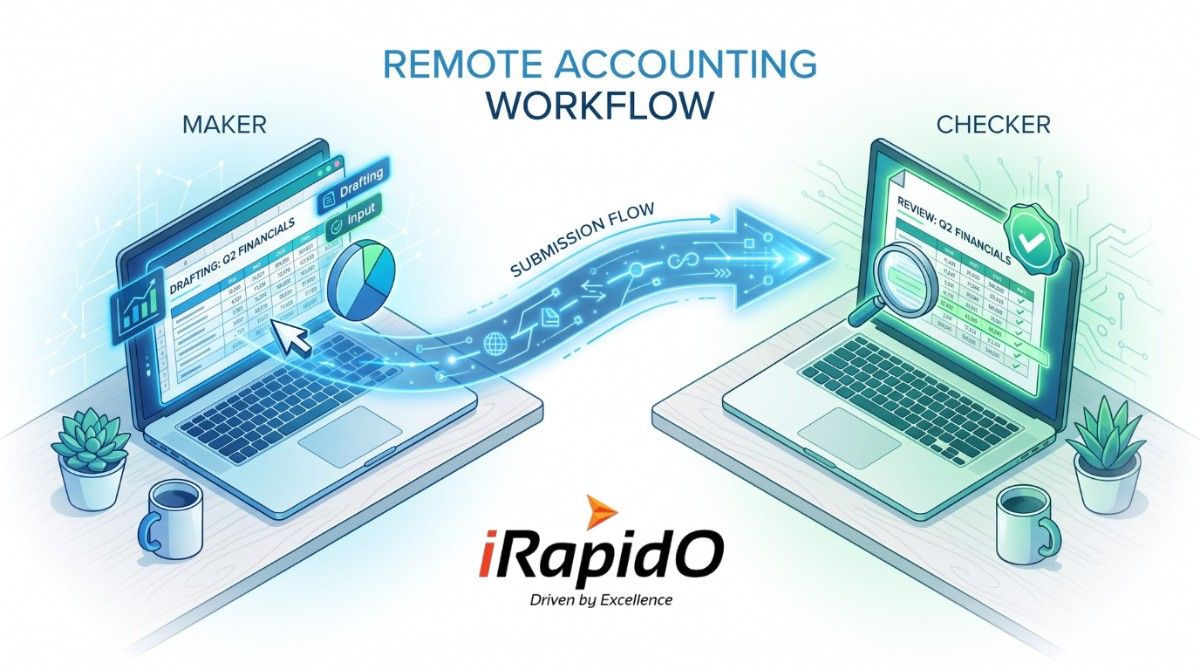
For mid-market accounting practices, integrating a global workforce is no longer a luxury; it is an operational necessity. As firm partners look to scale their transactional capacity by leveraging expert offshore bookkeeping services, a critical operational hurdle emerges: How do you bridge the gap between remote data entry and onshore CPA oversight?
Firms cannot afford to hand over master admin keys to external teams, nor can local CPAs waste time reviewing unverified, raw data feeds. To protect service quality and data integrity, US accounting leaders must architect a strict “Maker-Checker” software environment. This framework allows offshore teams to do the heavy lifting of data categorization, while local CPAs retain exclusive control over approval workflows, financial adjustments, and period closes.
The Core Objective: A successful hybrid model relies on Role-Based Access Control (RBAC). The offshore “Maker” categorizes transactions and drafts AP/AR entries. The onshore “Checker” (your local CPA) reviews the dashboard, approves the workflows, executes adjusting journal entries, and publishes the final financials.
Architecting the Hybrid Tech Stack
You do not necessarily need proprietary enterprise software to achieve this balance. The most successful firms utilize a carefully configured stack of commercially available cloud tools to create a secure, asynchronous workflow.
1. The Ledger Engine: Customizing Access Roles
Whether your firm operates on QuickBooks Online Advanced, Xero, or NetSuite, the foundation of your workflow is strict user-role limitation.
- The Offshore Role (Standard User/Data Entry): Configure your remote team’s access to permit vendor bill entry, bank feed categorization, and invoice drafting. Explicitly restrict their ability to close the books, view master payroll data, or execute high-level journal entries.
- The Onshore Role (Company Admin/Accountant): Local CPAs retain full administrative rights. They are responsible for reviewing the “To-Be-Approved” queues generated by the remote team overnight.
2. The Approval Gateway: Automating the Handoff
To prevent local CPAs from hunting through the ledger for unapproved entries, firms must deploy an approval routing gateway like Bill.com, Dext (formerly Receipt Bank), or Hubdoc.
- The Workflow: Invoices and receipts are ingested into the gateway. The offshore team codes the data to the correct chart of accounts and assigns class tracking.
- The Oversight: Once coded, the software automatically routes the transaction to the onshore CPA’s dashboard. The local CPA simply logs in, reviews the attached digital document alongside the offshore team’s coding, and clicks “Approve.” The data then pushes cleanly into the master ledger.
The Daily Standard Operating Procedure (SOP)
When you transition to a comprehensive back-office operational model, time-zone differences become your greatest asset. Here is how leading firms structure the 24-hour cycle:
| Time / Phase | Remote Team Action (The Maker) | Onshore CPA Action (The Checker) |
|---|---|---|
| Overnight (US Time) | Process daily bank feeds, code AP/AR documents, and prepare preliminary reconciliations. | Offline. |
| Morning (US Time) | Log off / Shift overlap for immediate communication. | Log in to find a clean dashboard of pre-coded items requiring approval. |
| Mid-Day (US Time) | Offline. | Execute adjusting journal entries, review client tax strategy, and finalize reports. |
Maintaining Audit Trails and Security
Accountability is paramount. By strictly enforcing the Maker-Checker workflow through your software stack, every transaction generates an immutable audit trail. If an offshore bookkeeper categorizes a massive expense incorrectly, the onshore CPA catches it in the approval queue before it ever hits the general ledger.
Furthermore, remote teams should never have direct login credentials to client bank accounts. All bank data should flow securely via read-only bank feeds (Plaid or native integrations) directly into the accounting software, ensuring your offshore team can reconcile data without ever touching the actual capital.
Frequently Asked Questions
How do I give an offshore team access without compromising security?
Security is maintained by utilizing Role-Based Access Control (RBAC) within your accounting software. You grant the offshore team “Standard User” or “Data Entry” permissions, allowing them to categorize bank feeds and draft bills, while restricting access to payroll, period-close functions, and master banking credentials.
What is a Maker-Checker workflow in accounting?
A Maker-Checker workflow is an internal control mechanism where two individuals are required to complete a task. In an outsourced model, the offshore “Maker” enters and categorizes the financial data, while the onshore “Checker” (a local CPA) reviews, approves, and posts the final transaction to the ledger.
What software is best for routing approvals between offshore and onshore teams?
Cloud-based AP/AR automation tools like Bill.com, Dext, and Hubdoc are highly effective. These platforms allow offshore teams to code invoices and attach source documents, which are then automatically routed to a centralized dashboard for the onshore CPA’s final approval before syncing with the main ledger.
Execute Flawless Offshore Integration
Scaling your firm requires more than just finding remote talent; it requires implementing the precise technological infrastructure to support them. A broken workflow leads to duplicated efforts and frustrated local staff.
Need to Build a Secure, High-Performance Back Office?
At iRapidO, we don’t just provide certified financial professionals—we help US accounting practices architect the secure workflows, approval routing, and tech stacks required to make offshore integration seamless.
Consult with an Operations Expert
About iRapidO Global
iRapidO is a business process management firm specializing in Remote Capability Center solutions. Operating from our global delivery center, we empower US enterprises and financial leaders to scale operations, control overhead, and maintain long-term competitive advantage.